A native macOS packet analyzer.
PCAP capture, plugin-based protocol dissection, and macOS-native UI — fully rewritten in Swift.
Built for the way you analyze.
Capture
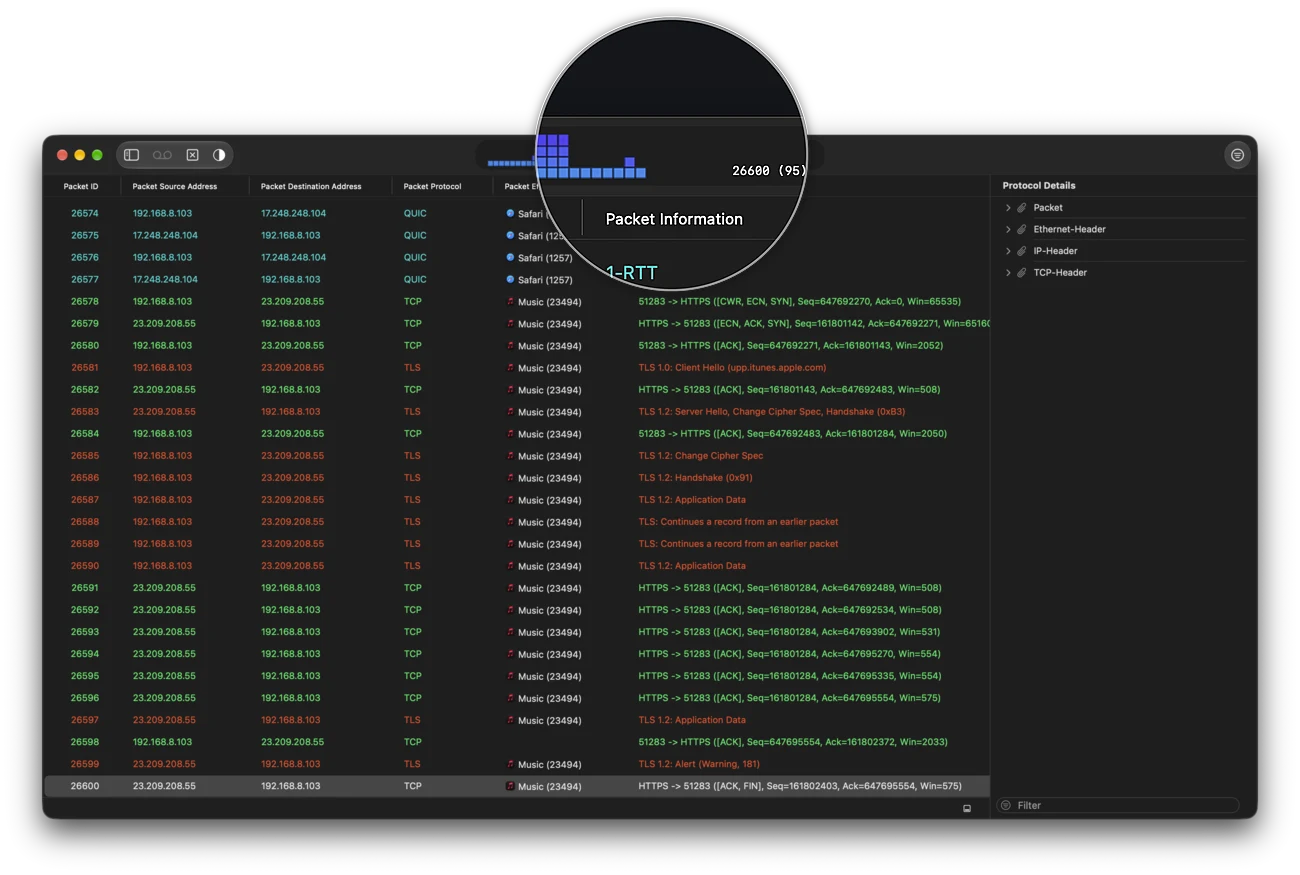
Capture Ethernet or Wi-Fi traffic in a document window — or start, watch and stop it from the menu bar.
pcapng
Read and write the modern pcapng format, with per-packet comments and embedded TLS decryption secrets.
Built for scale
A packet index and a one-pass background dissector keep multi-million-packet traces light in memory and instant to click through.
Protocol analyzers
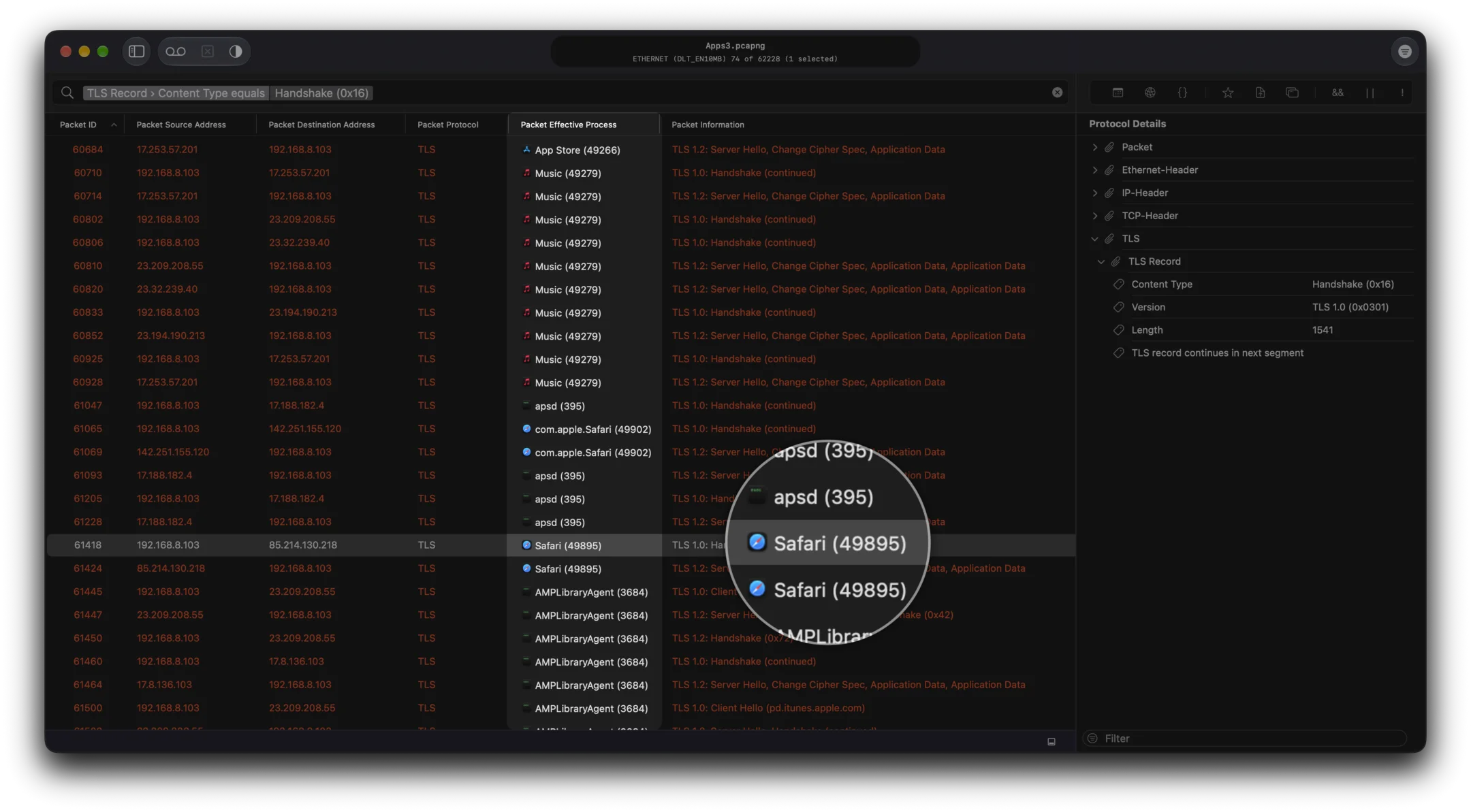
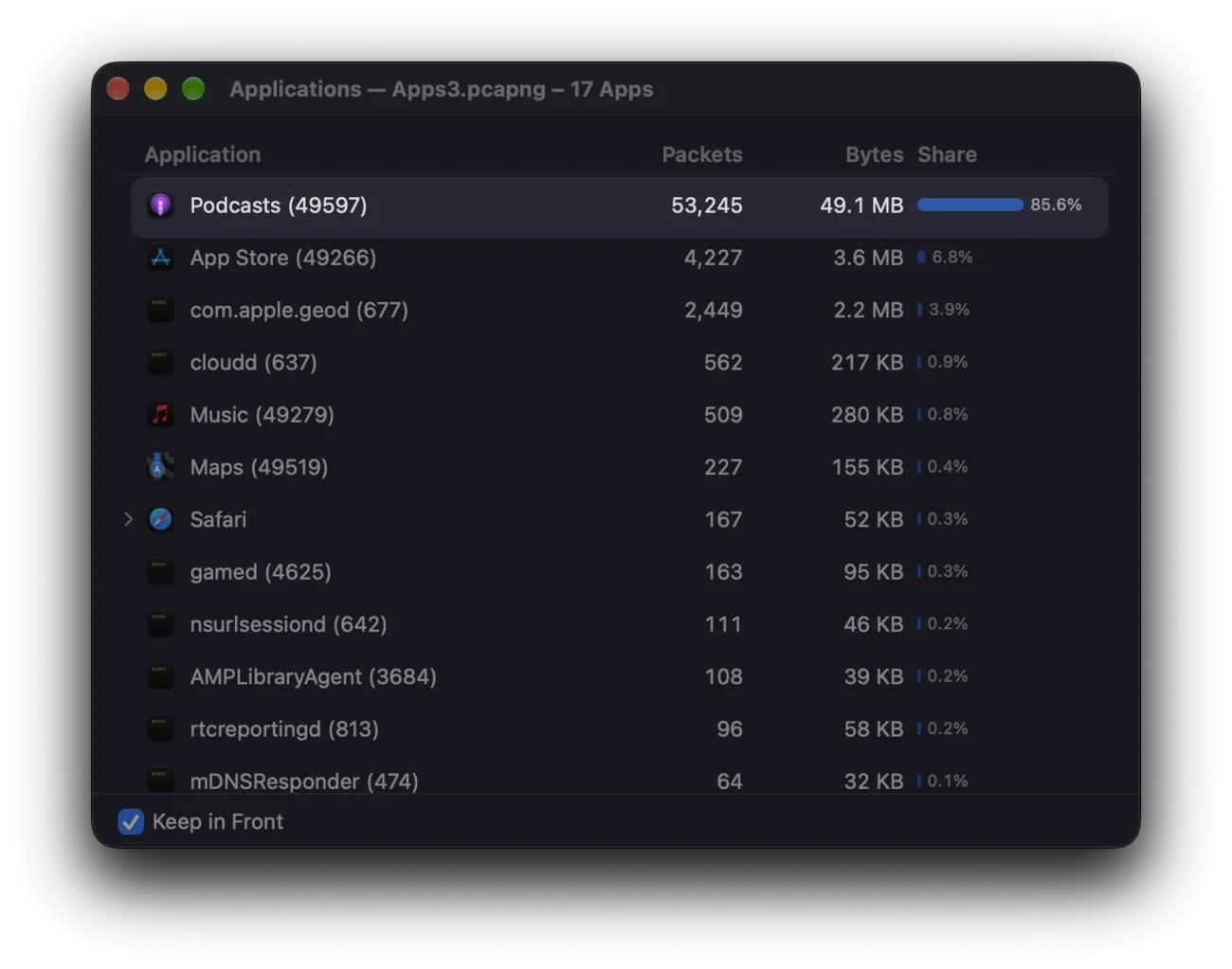
A wide range of protocol analyzers dissect and filter your traces, down to the bytes of each field.
QUIC & HTTP/3
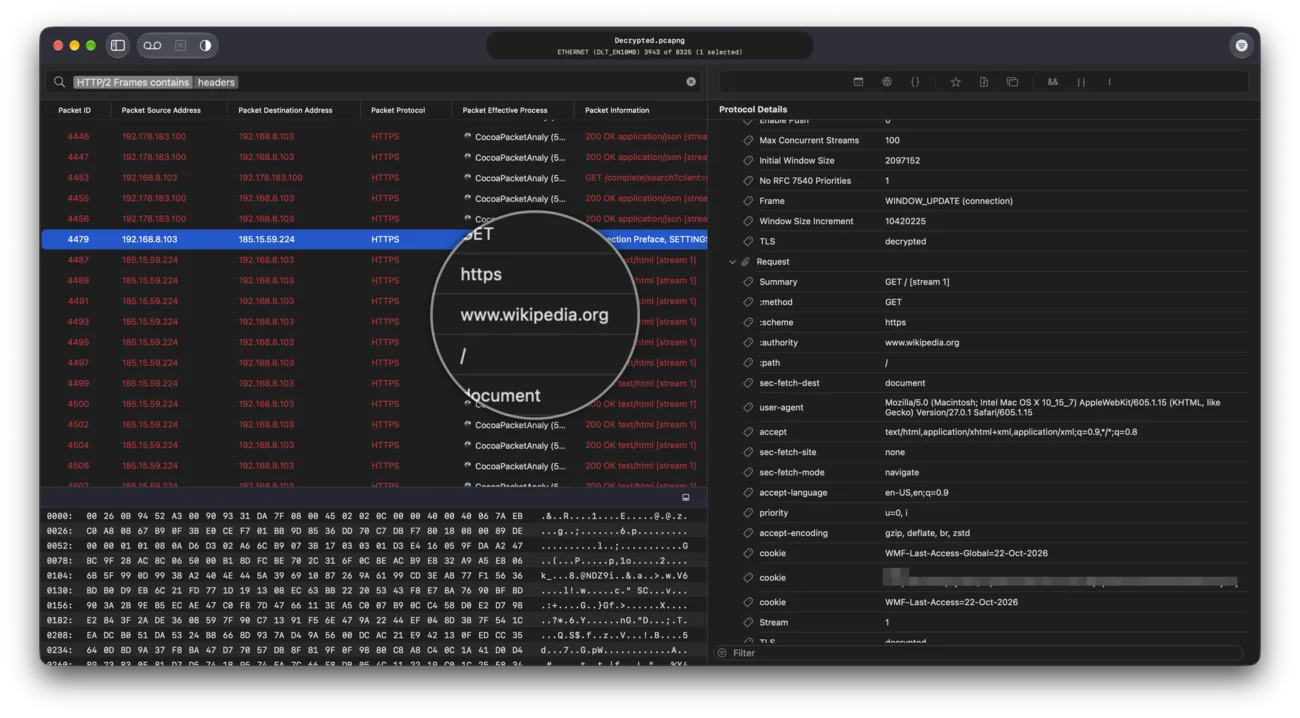
Full QUIC dissection with decryption at every level, HTTP/3 frames and QPACK headers readable and searchable.
Follow the conversation
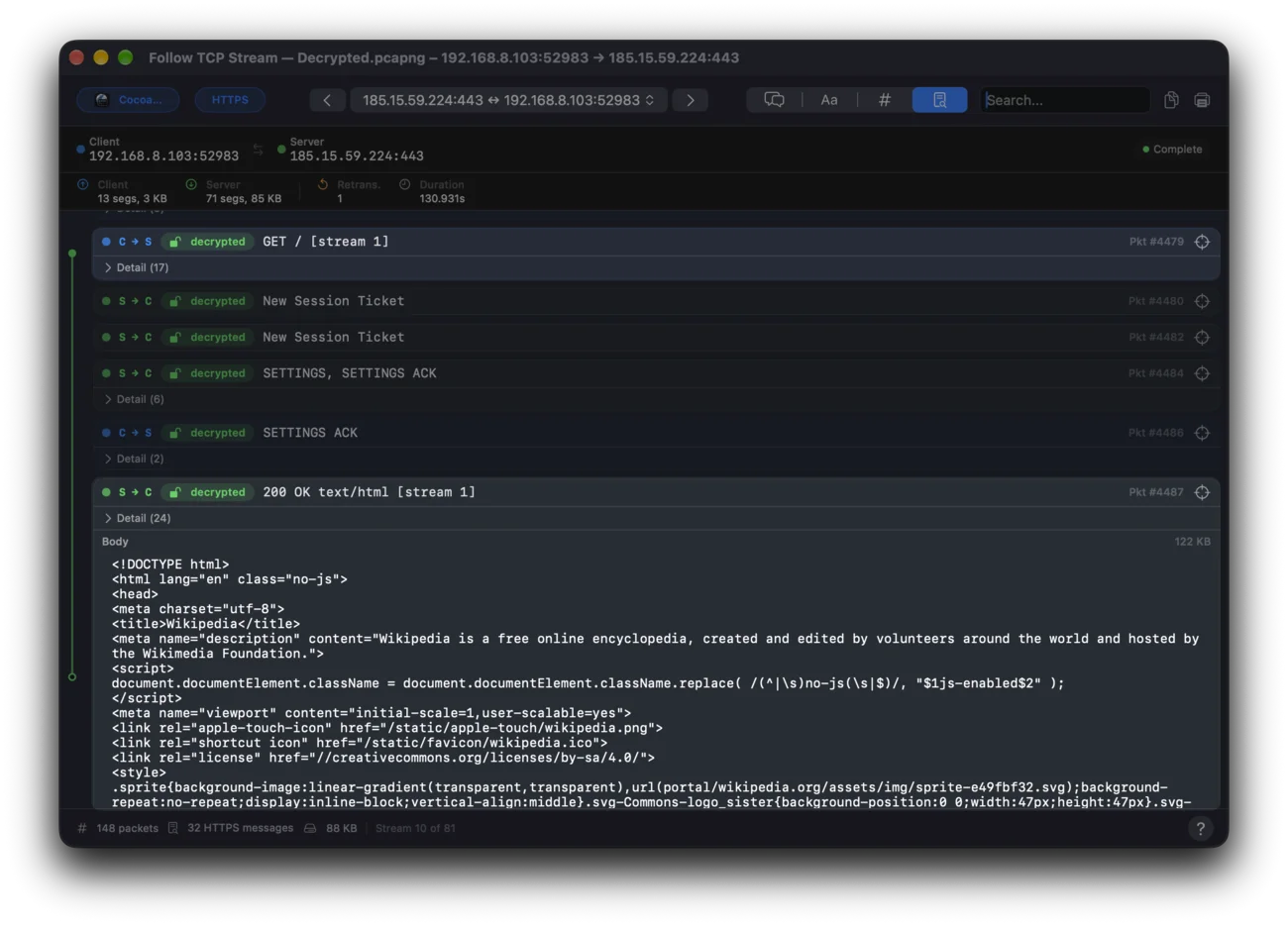
Follow TCP Stream, Follow UDP Flow, and Follow QUIC Stream reassemble any conversation into one viewer with request ↔ reply pairing.
TLS / HTTPS
Dissect handshakes and certificates, decrypt TLS 1.2 / 1.3 with a key log, and see which sessions decrypt — and why the others do not.
MITM Proxy
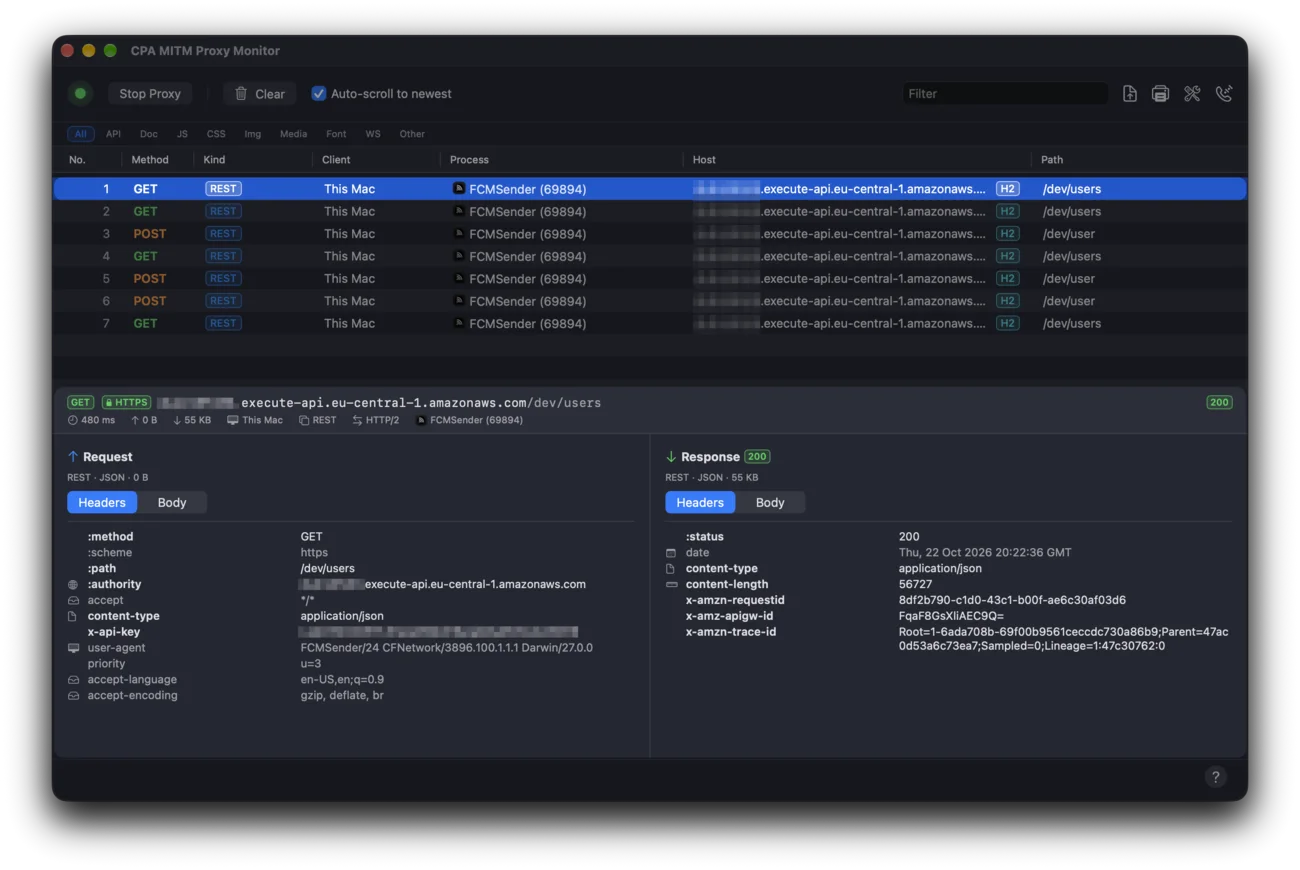
A built-in man-in-the-middle multi-protocol proxy with a live monitor so decryption just works — no key-log file required.
HAR files
Export proxy flows as HAR, open HAR files saved by your browser’s developer tools, and copy any request as cURL.
Plugins
Write your own protocol analyzers in Swift with the CPA Plugin SDK.
QuickLook
Preview packet traces in Finder — a QuickLook extension is included just for it.
Bring your traces to paper.
Dark Mode
English, German & Japanese
Notarized by Apple- macOS 26 or later
From capture to conversation.
Get CocoaPacketAnalyzer.
Version 4.0.3
The latest release. Universal binary.
Requires macOS 26 or later.
4.0.3 brings plain HTTP, WebSockets and HTTP/2 to the MITM proxy, shows gRPC calls and WebSocket messages in the Monitor, saves and opens HAR files, decodes OCSP and stapled certificate status, says when the capture helper needs attention, and is faster with less memory.
CPAPluginSDK 4.0.3
Single-import Swift SDK for writing .cpaplugin protocol analyzers, on a new, smaller API — plug-ins built with SDK 4.0.2 load unchanged; plug-ins built against earlier SDKs must be rebuilt. Analyzer settings are declarative: declare your packet coloring, options and ports, and the app renders the pane for you under Settings ▸ Analyzers, matching the built-in analyzers. Includes DocC documentation, an NTP analyzer sample (XCFramework workflow) and a TFTP sample whose dissector is written in Objective-C behind a small Swift shim. Requires CPA 4.0.3+.
Version 2.1.4
Previous release. Universal binary.
For Macs running macOS 10.14.6 – 15.7.4. Not compatible with macOS 26.
Frequently asked questions.
The ethernet and wifi interfaces that come with your Mac should just work fine!
Ethertypes: ARP, IP (v4/v6), PPP, PPPoED/S, 802.1Q VLAN, MPLS
Linktypes: Loopback, PPP, LinuxSLL, IEEE802.11-RadioTap
Analyzer plugIns for the following protocols are included:
Link & framing: Ethernet, ARP, 802.1Q VLAN, MPLS, PPP, PPPoE (Discovery & Session), LinuxSLL, IEEE 802.11 RadioTap, Loopback
Network: IP (v4/v6), ICMP (v4/v6), IGMP, OSPF, Mobility, ESP
Transport & tunneling: TCP, UDP, L2TP, MPLS-in-IP
PPP control: LCP, IPCP (v4/v6), CCP, PAP, CHAP
Application: HTTP, WebSocket, DNS, DHCP (v4/v6), FTP, SMTP, POP3, IMAP, NNTP, SSH, Telnet, SIP, IAX, SNMP, LDAP, BGP, RADIUS, SMB, SOAP, Hotline
Promiscuous mode can be enabled in the capture preferences. Most interfaces in Apple Computers should support it.
Monitor mode allows packets to be captured without having to associate with an access point or ad hoc network first. Monitor mode only applies to wireless networks. Not all wifi interfaces support it. It can be enabled in the capture preferences.
Monitor and promiscuous mode wont work if both are enabled.
Captured HTTPS is encrypted. From the packets alone you can see that your Mac talked to a host, when, and how much — but not a word of what was said. That is HTTPS working as intended, and no amount of analysis undoes it after the fact.
The proxy solves it by standing in the middle, with your permission. It runs locally, mints its own certificate authority, and asks macOS to route your web traffic through it. To your browser it looks like the far end; to the far end it looks like your browser. Because it terminates each connection itself, it holds the keys — so it can show you every request and response as plain text, and hand those keys to the analyzer so your captured packets decrypt too.
“MITM” is man-in-the-middle, normally the name of an attack. This is the same technique aimed at your own machine, and only while you switch it on: you have to trust its certificate, your previous proxy settings are restored when you stop, and nothing leaves your Mac. While it is running it can read the HTTPS of every app that uses the system proxy — so turn it off when you are done, and only inspect traffic you are entitled to.
Part of the direct-download build. The Mac App Store sandbox does not permit it.
A key log is a small text file that writes down the secret each encrypted connection used, so a capture can be read afterwards.
When a browser opens an HTTPS connection it negotiates a fresh secret with the server. Nobody watching the wire can work it out — that is the whole design. But both ends know it, and either end is free to write it down. A key log is exactly that: one line per session, linking a connection to its secret. Most browsers will produce one if you set the SSLKEYLOGFILE environment variable before launching them.
Point Cocoa Packet Analyzer at that file and the matching sessions decrypt — a capture you recorded weeks ago suddenly reads as ordinary requests and replies. The packets never change; you have simply supplied the missing piece.
Keys reach CPA three ways: the proxy records them automatically while it runs, you can choose a key log yourself in Settings › Analyzer › TLS Analyzer, and a pcapng file can carry its keys inside the trace — so a keyed capture stays readable when you archive it or send it to a colleague.
Keys are as sensitive as the traffic they open. CPA keeps them in a key store tied to the trace they belong to, and the TLS Keys window lists every session in a capture, which ones decrypt, and for the rest, plainly why not.
No. The proxy is the convenient route — switch it on, capture, and decryption just happens — but it is not the only one.
If you already have a key log, or a pcapng trace that carries its own keys, CPA decrypts from those alone. That matters for traffic the proxy could never sit in front of: a capture from another machine, a trace a colleague sent you, or an app that ignores the system proxy setting.
It also matters on the Mac App Store, where the sandbox rules the proxy out entirely. That edition still decrypts — from a key log you choose, or from a keyed pcapng.
Download the CPAPluginSDK above. The SamplePlugIn/CPAPluginSDK.docc/ catalog contains a step-by-step walkthrough (WritingYourFirstPlugin, ProtocolContract, ThreadingModel, DistributingYourPlugin), and the included NTPAnalyzer-XCF Xcode project shows a complete working analyzer you can build and ship as a .cpaplugin bundle; TFTPAnalyzer-ObjC shows the same with the dissector in Objective-C (UsingObjectiveC). Questions welcome — feel free to reach out.
Yes — CocoaPacketAnalyzer 2.5.0 requires macOS 26 or later. Earlier systems (macOS 10.14.6 – 15.7.4) can stay on 2.1.4.